Quick Start
Run the full ollmo stack locally in 5 minutes.
Prerequisites
- Docker + Docker Compose
- Go 1.26+ (running from source)
- Node.js 20+ (frontend development)
- Make (optional, for convenience targets)
1. Clone & configure
git clone https://github.com/ollmo-go/ollmo.git
cd ollmo
cp .env.example .env
2. Start infrastructure
make up
Starts MySQL, Redis, MinIO, Milvus, and the Asynqmon dashboard:
| Service | URL | Credentials |
|---|---|---|
| MySQL | localhost:3306 | ollmo / ollmo_dev_pwd |
| MinIO Console | http://localhost:9001 | minioadmin / minioadmin |
| Milvus | localhost:19530 | — |
| Asynqmon UI | http://localhost:8081 | — |
3. Run database migrations
make migrate
4. Start the backend (API + Worker)
# Terminal 1: API server
make server

# Terminal 2: Asynq worker (document parsing & embedding)
make worker
5. Start the frontend
make web # http://localhost:3001
6. One-click install wizard
Open http://localhost:3001 — on first visit you'll automatically enter the install wizard (shown only when the system hasn't been initialized yet):
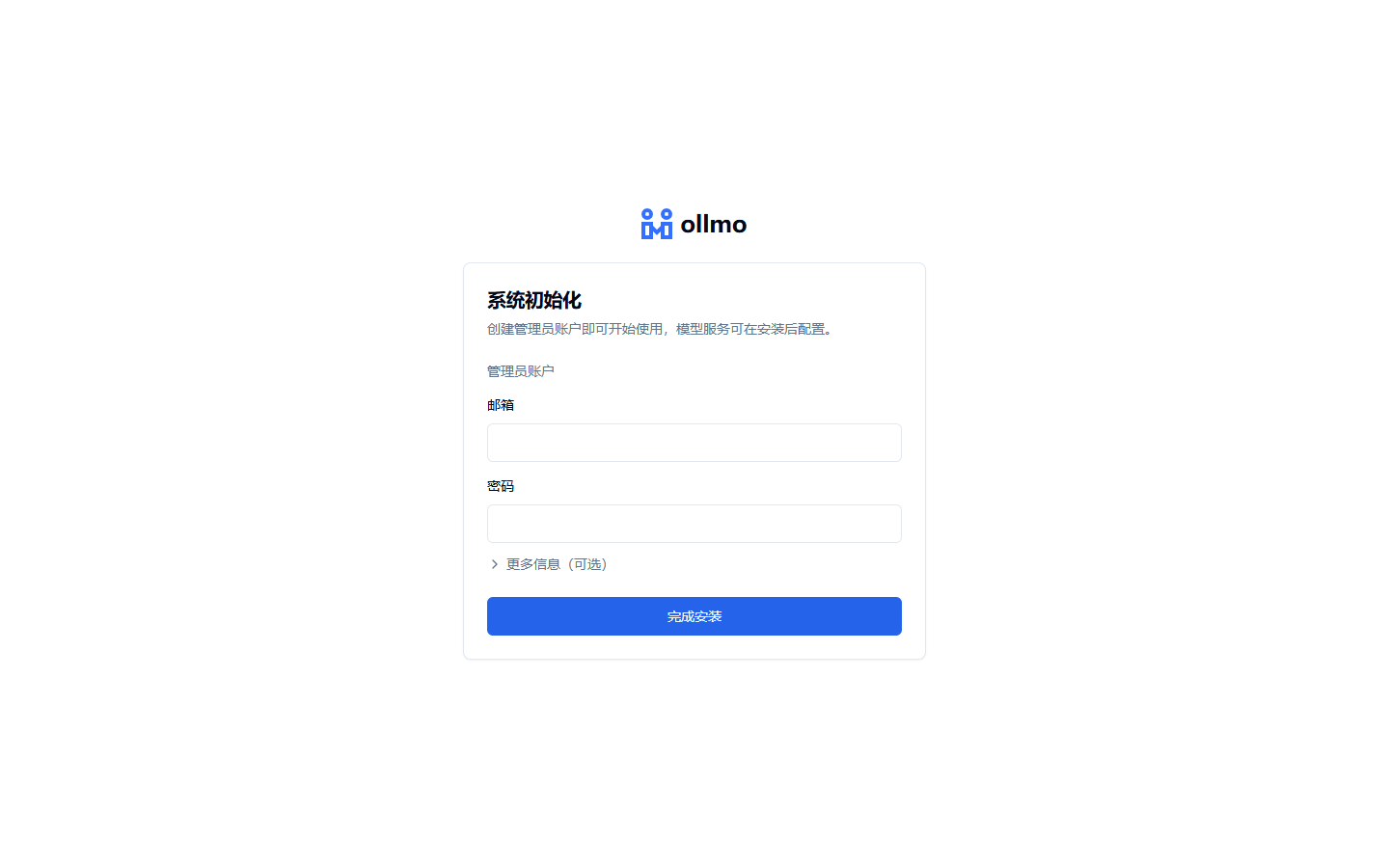
Enter the admin email and password; expand "Optional configuration" to provide a SiliconFlow API Key (skip it and add it later in Settings):
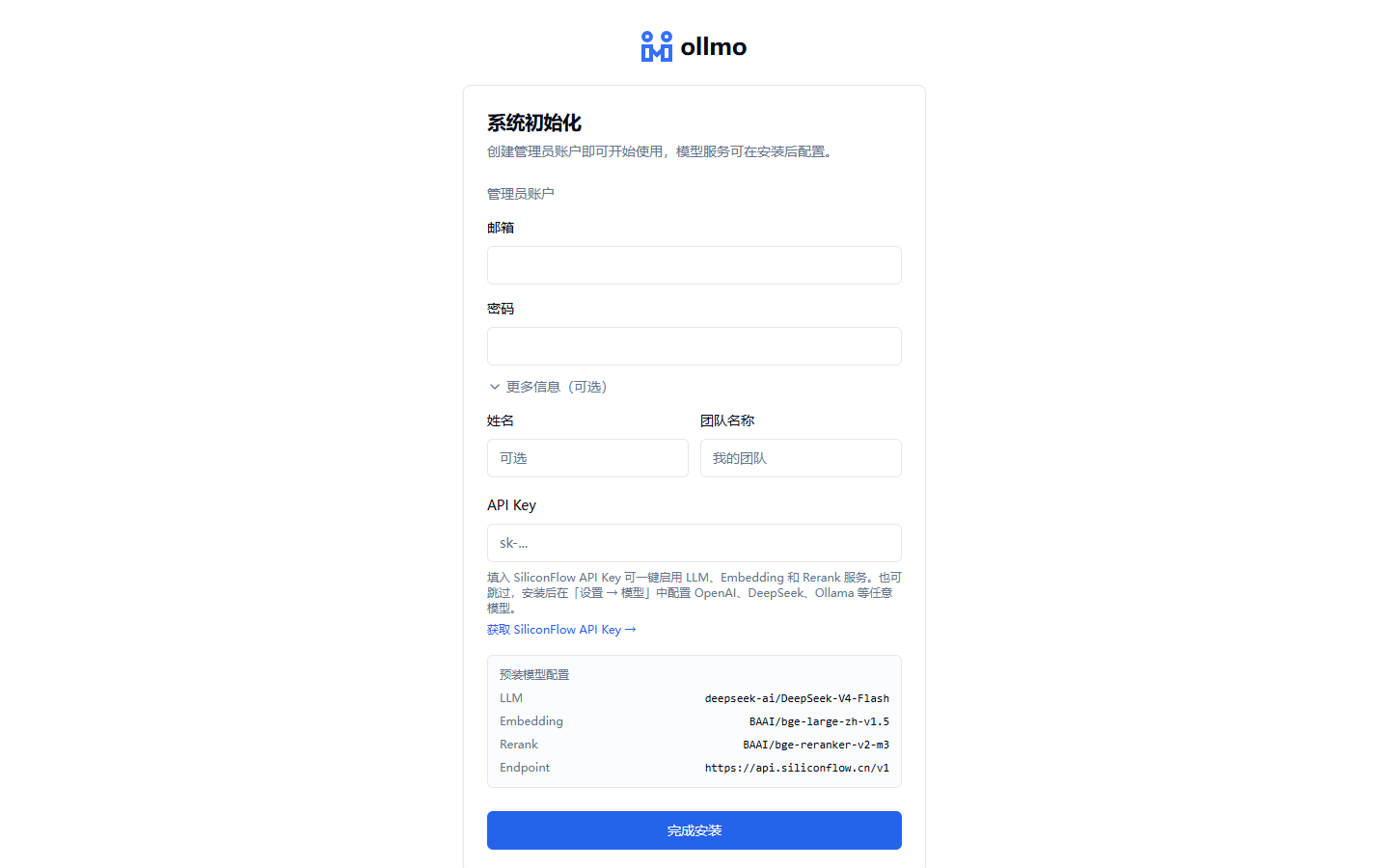
After confirming, the system automatically:
- Creates an admin team and a super-admin user;
- Provisions a SiliconFlow provider with LLM (DeepSeek-V4-Flash), Embedding (BGE-Large-ZH), and Rerank (BGE-Reranker-V2-M3) models;
- Creates a demo knowledge base with a standard-template Agent canvas (intent classification → retrieval → condition branch → LLM / direct reply + a small-talk branch);
- Uploads demo documents and automatically completes parsing, chunking, and embedding.
After installation completes, just type a question on the home page to experience the full Q&A flow — no manual configuration required.
:::caution Registration is disabled after installation After installation, the system disables registration by default. To invite members, enable it in System Settings, or have members join via an invitation link. :::
Full stack via Docker
Skip steps 2–5 and build & start every service (infrastructure + server + worker + web) directly:
make up-full
First questions
Open a conversation on the home page, select the "Demo knowledge base", and try asking (the demo document is "Product Introduction", and these questions are all answered in it):
- What document formats does ollmo support?
- How do I connect my own models?
- What are ollmo's core capabilities?
Answers cite their source documents; click a citation to open the source on the right with the cited passage highlighted — switch between the original PDF and the parsed view, side by side with the conversation:
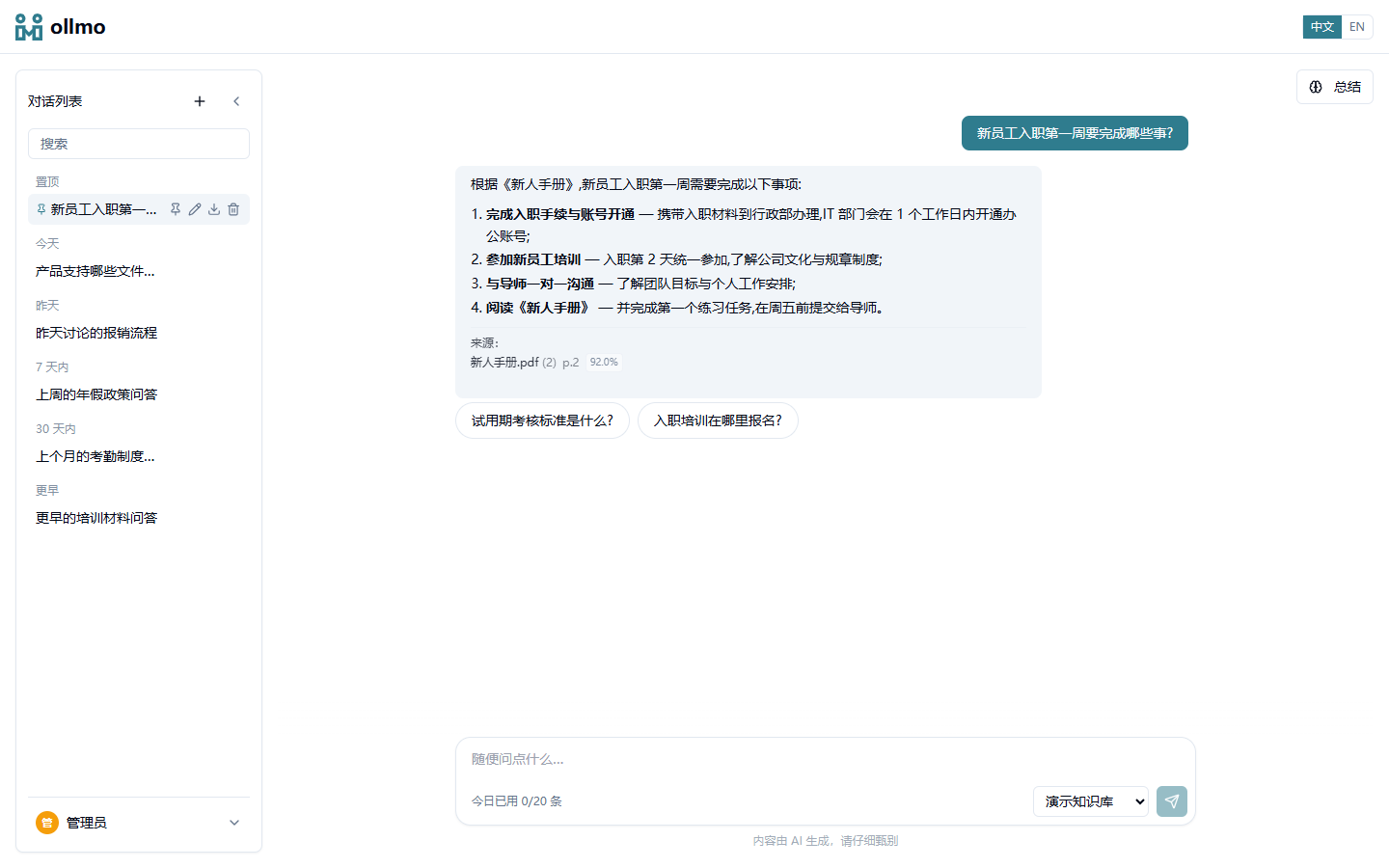
:::tip Auto-Memory Once a conversation reaches 10 messages, ollmo automatically generates a session summary in the background; new conversations then get these summaries injected for cross-conversation continuity. Can be disabled in System Settings. :::
Next Steps
- Model Configuration — Add your own model providers
- Agent Canvas — Orchestrate a custom Q&A pipeline
- Docker Deployment — Production deployment