Data Processing Pipeline
Every knowledge base has a visual ingestion pipeline (a React Flow canvas): documents pass through five nodes from upload to searchability. Open the knowledge base → "Pipeline" tab to view it:
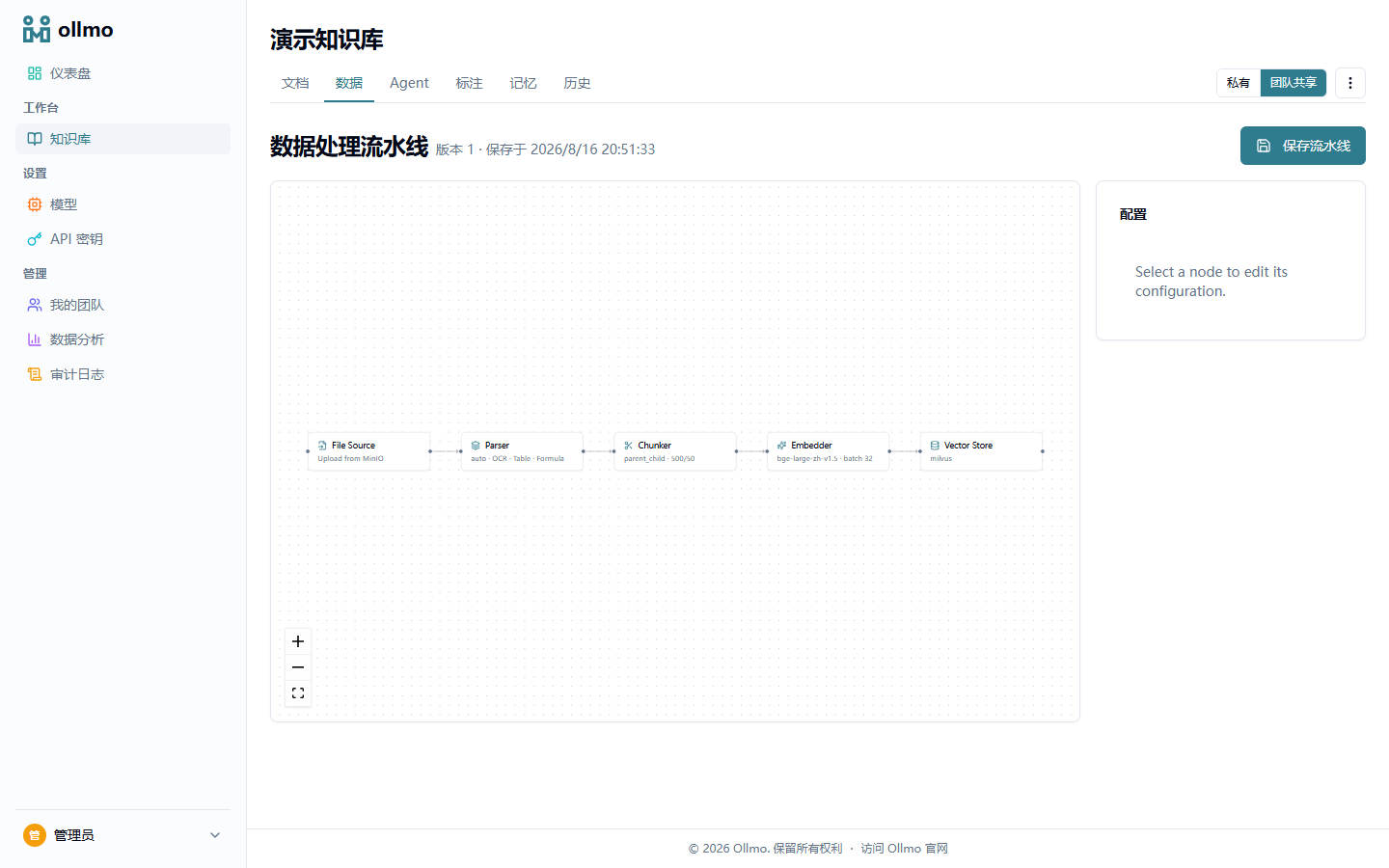
Node reference
| Node | Purpose | Key configuration |
|---|---|---|
| Source | Document entry point | File upload / URL import |
| Parser | Extract text and structure | Engine: auto / MinerU / local; OCR, formula, and table toggles |
| Chunker | Split text | Strategy, chunk size, overlap length |
| Embedder | Generate vectors | Embedding model, batch size |
| Sink | Write to the vector store | Type (Milvus) |
Chunking strategies
| Strategy | Identifier | Best for |
|---|---|---|
| Paragraph | paragraph | Packs paragraphs into chunks, preserving semantic integrity (the fallback for unknown strategies) |
| Fixed length | token | Fixed-size chunking by character count (overlap configurable); well-structured documents, fast |
| Parent-child | parent_child | Child chunks for retrieval, parent chunks fed to the LLM; balances accuracy and context — recommended default |
| Header-aware | header | Splits by document heading hierarchy, preserving section structure |
| Q&A | qa | CSV question/answer pairs (one Q&A per row); a hit returns the standard answer directly |
The parent chunk keeps a larger context; when a child chunk is hit during retrieval, the parent chunk's content is passed into the LLM, yielding more complete answers.
Parsing engines
- auto: prefers MinerU and falls back to the local parser when unavailable;
- MinerU: containerized deployment (optional GPU), best at PDF layout, formulas, and tables — see Docker Deployment;
- Local parser: lightweight and zero-dependency, supporting common formats such as Markdown, TXT, DOCX, and PDF.
:::tip When do changes take effect After you change the pipeline configuration, newly uploaded documents are ingested with the new configuration; to rebuild existing documents, choose "Re-parse" from the document list. :::