Admin Console
Both admins and super admins can enter the admin console (chat sidebar → "Admin Console" → /dashboard); regular members cannot. User Management, Team Management, and System Settings are super-admin only (sidebar "System Administration" group); Analytics, Audit Log, and "My Team" are visible to admins (the "Management" group).
User Management
- View all users across the platform
- Grant / revoke super-admin status
- Restrictions: you cannot modify your own status, nor revoke the last super admin
- Users must re-login for permission changes to take effect (
is_super_adminis carried in the JWT)
Team Management
- View all teams with their plans, quotas, and usage
- Change a team's plan (Free / Pro / Enterprise); switching plans auto-applies the plan's default quotas defined in
config.yaml, with per-team fine-tuning - Adjust team quotas: knowledge bases, documents, storage, daily messages, per-user daily messages
System Settings
| Setting | Description |
|---|---|
| Allow registration | New users can self-register only when enabled; otherwise joining requires a team invitation |
| Auto-memory | When enabled, long conversations are automatically summarized in the background and injected across sessions; enabled by default |
Analytics
An admin-visible usage dashboard with two tabs: "Overview" and "Usage & Cost":
- Overview: stat cards for knowledge bases, documents, chunks, conversations, messages, and storage; document-processing stats, recent activity, and per-KB usage breakdown.
- Usage & Cost: team-level token consumption and cost statistics (overview, by user, by model, and call detail).
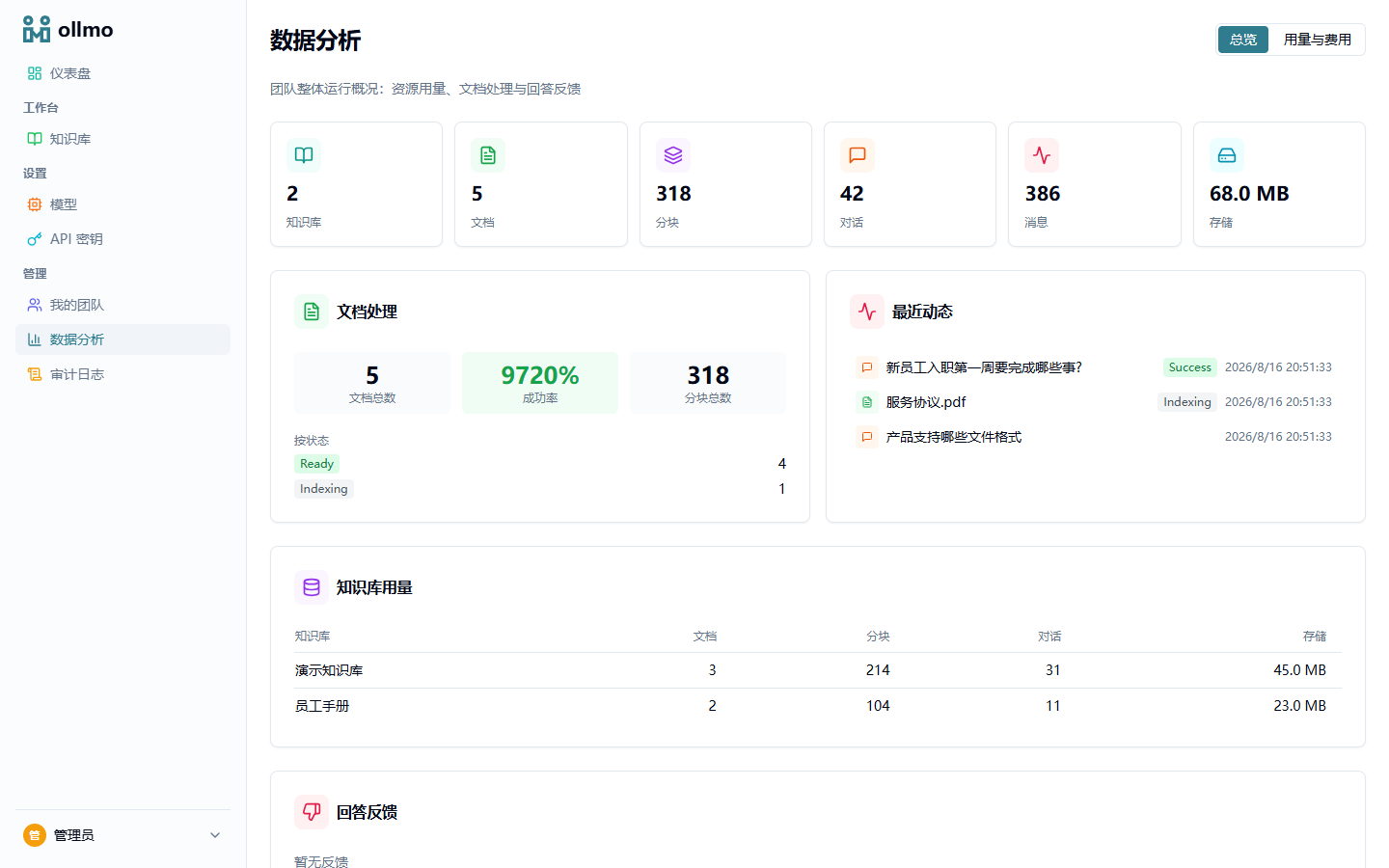
Answers downvoted in chat surface in the overview's feedback list, where you can jump straight to the execution replay that produced them (see Observability & Replay).
Audit Log
Records successful write operations (POST/PUT/DELETE) on protected endpoints — e.g. changes to knowledge bases, documents, teams, or quotas — in reverse chronological order for traceability. Read-only requests and public auth endpoints (such as login) are not recorded.